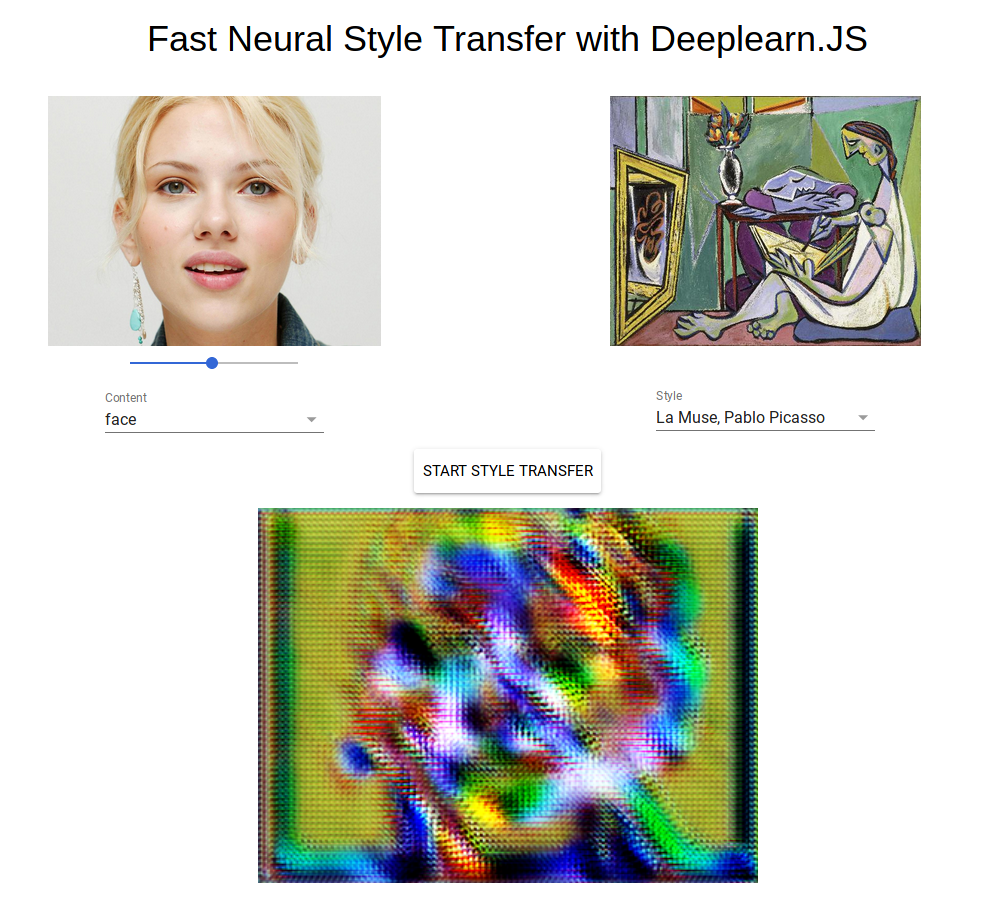
You're lengstrom from Github! I must let you know your models are exactly what I used! I don't have a beefy GPU so I was forced to use what you already had, haha.
For everyone reading, these guys coded up the neural network I used, all I did was port it to a different library. :)
When I see the style transfers, I'm reminded of the early days of Photoshop, and whatever else was a commonplace photo editing application of the mid-90s (like Fractal Painter). It was fun to play with the idea of oil painting, or watercolor, or to simulate paper textures. How is style transfer an improvement? Undoubtedly, it's more sophisticated and requires more computational resources.
Can it be used for artistic purposes, or is it only skin deep like those old filters? It looks to me as if this is pure imitation, your images of a night with friends at the street cafe, or stacking bails of hay can look like a Van Gogh when you upload it to Instagram.
Sure, for example https://imgur.com/a/HUN9G. Just by playing around with drawing different textures, I was able to get the above with the wave model. I just see it as another digital tool like you do, but with creative use I could see some pretty cool applications in modern art.
After seeing this, and thinking through what I wrote yesterday, I have a bit of a different take. I don't like the style transfers of famous art-piece, to user-provided image. A skin-deep transfer of the look of Van Gogh, or Katsushika Hokusai, or Renoir, or whatever doesn't make art (in my opinion).
I realize these tools are just a proofs-of-concept, which is something I forgot yesterday. What I'd like to be able to do is style transfer between arbitrary images, whether it's my own work or that of others. That would open up the creative possibilities.
Fast Neural Style transfer is a variation of a "regular" Neural Style algorithm.
With regular Neural Style, you can do style transfer between any two arbitrary images. The disadvantage is it takes longer so doing it in the browser might be unfeasible for now. See https://github.com/anishathalye/neural-style
Anyway, even with Fast Neural Style, you can use any arbitrary image as a Style, but you'll have to train it first (4-6 hours on a GPU).
As you can see from the output, the model can simplify the shape, alter the geometry, put a texture on an object (projecting a texture like UV mapping) without being explicitly programmed to do so. It is inherently different from Photoshop filters that apply a fixed transformation on the pixels.
The fundamental difference is that the model is able to abstract away from the pixel representation of the image and it can decorelate content and style.
Also, it is not necessarily more computationally intensive in the generation / forward phase.
It still looks like Poor Photoshop Art Imitation++ though.
Outside of the developer community, no one cares how this works. They only care about whether or not they connect with the result.
And a good historical hint is that no one uses those old Photoshop filters now, because they're uniformly cheesy and terrible.
Artistically, this is similar.
The Deep Dream output was an interesting novelty, for a while, but to most people this style transfer process is going to be Just Another Photo Filter Effect.
Technically, it's not abstracting shape and texture in an intelligent way. It's applying a mechanical effect in a mechanical way with absolutely no insight into texture or spatial geometry.
Even in abstract art, shapes mean something. They're not just a set of coordinates. This process doesn't understand that meaning - and generally, developers who think "art" means "I made an image with my computer" don't understand it either.
Sometimes this process gets lucky and something passable falls out, but mostly the results are mediocre.
I mostly agree that the results are not always good.
As someone who read the original style transfer paper, and implemented it, I disagree that it is applying a mechanical effect. Maybe I'm biased but the algorithm use a pre-trained CNN on object recognition.
The CNN develops a representation of the image that is more and more abstract along the layers of the network. You can visualize the information in each layer by reconstructing the image only from the feature maps. And when you do this you will see that the network, learns the objects and textures
of the image compared to its pixel values (pixels -> edges -> regions -> objects, etc).
I think there's something of a human selection effect with the more impressive outputs they've opted to show; much as you can throw a far dumber algorithm at far less selective samples of Shakespeare and end up with the non-incoherent examples seeming wonderfully poetic
Take the example of the woman's face and Munch's The Scream. Ask an art student to pain a woman in the style of The Scream and you'll probably get her with a simplified, harrowed expression, surrounded by swirly waves and skies. Run this through the algorithm and you'll get a photograph of a woman's face with brushwork superimposed over it including a choppy, vibrant orange forehead instead of a choppy, vibrant orange sky. It's not particularly visually interesting and is obviously the work of a dumb algorithm[1]
On the other hand, I combined the woman's face with Picabia's Udnie and the results were very pleasing, especially the way the contrast of black and white and sharpened edges happened to emphasise the model's cheekbone structure and eyes, and it looks like something a human might draw and sell as an original semi-abstracted portrait (albeit something an art teacher setting the "draw her in the style of Picabia" assignment would probably still frown at and say they'd missed the point of the exercise in producing representative art and not really grasped Picabia's massing or shading either)
[1]And I'm sure it's not the first time I've critiqued computer generated art based on combining Munch's the Scream because it treats the top of the image as vivid orange sky regardless of what it actually is...
What do you mean? It is what it is. You can use it for artistic purposes if you can think of some creative way of using it, but if you're just uploading images and spitting out altered versions I don't suppose many people would consider that to be particularly artistic
Of course, computers can't be creative, so it is just imitation. What it creates is not novel. It's just doing what the programmer told it to do. Blah blah blah.
In my opinion, it is one step -- and an impressive step -- in the direction of computers being able to actually be creative. The areas where humans can do something that computers can't is shrinking. You can dismiss it if you want, but at what point will you acknowledge that what the computer is doing isn't simply imitation? I guess you can keep moving the goalposts, but to me, this is pretty impressive.
I think the definition of "creativity" is very vague when we try to explain that in terms of computer or AI. Generative artwork/systems, which are highly random tends to appear "creative" and not just any "imitation".
Little compared to what? They're infinitely big compared to no variations. Ignoring that part because it's unclear is like throwing out the baby and keeping the bathwater to me.
Having the ability to make something original, I suppose. But then you can question what is original.
I tend to think everything is somewhat derivative. But some things more than others. The things that are the least derivative, are the most creative.
And what this program does is more creative than most things computer programs do, and probably more creative than lots of things that, if a human did it, you'd call "creative."
I don't know if it's my machine or whether my expectations are too high, but every generated image looks like the same blurry version of the original but with a different colour pallet. I certainly don't get anything as beautiful as the output examples.
This happens regardless of the source content I use (any of the examples or even my own uploaded files) nor any of the reference styles.
User agent: Mozilla/5.0 (X11; Linux x86_64) AppleWebKit/537.36 (KHTML, like Gecko) Chrome/61.0.3163.100 Safari/537.36
These definitely look wrong. Unfortunately, it's super hard to debug since I can't reproduce. :(
My only advice I guess is to try it on a different machine when you have one available. Sorry, if this is a problem with the library I used, I can't really do anything to fix it. :/
Not sure if this helps but I've tried the project you based this off[1] and that produces images correctly (or at least that look more like my expectations).
(I say "based", I'm not sure just how much of their code - if any - you used. But you did compliment them earlier in this discussion)
Stupid question: Is CloudFlare free for CDN purposes? Right now I'm serving everything from Github Pages. I don't expect there to be much traffic after this initial HN spike dies down, so if it isn't free, it won't be worth it for me to pay for it.
tl;dr: Impressive Prisma clone with six filters but running all calculations locally in the browser. Compared to Prisma it feels slightly slower or as slow, one filter almost froze my MBP 4@2.7.
It is currently VERY slow since there are a lot of non-optimized (non-GPU) calls being made. Once those are implemented in deeplearn.JS, things should run much faster. In fact, one of the creators of deeplearn.JS says it might be feasible to do this realtime in a webcam (although not at 60FPS).
This was a super quick PoC demo I hacked together in a week on a very new library. :)
Weirdly, something about the generated images (colour range?) breaks Twitter's profile photo update. I actually took screenshots of the original taken with my webcam and the deep learning style transferred version, the former worked for my Twitter profile photo, and the latter resulted in an error. I tried different resolutions too, and it always broke.
Clearing cache doesn't fix it. So far the only way I can get it to load is by putting a breakpoint inside initializePolymerPage just before it appends bundleScript to head, and setting bundleScript.src = 'bundle.js?<anything>' and then resuming execution. Like I said, ¯\_(ツ)_/¯
A question mark indicates the beginning of a query string ( https://en.wikipedia.org/wiki/Query_string ). Basically most web servers ignore it and anything that comes after it if they're not expecting to process any query parameters, with one useful bonus. Query string parameters unique-ify the request, so that any intermediate address caching doesn't interfere with getting the latest version of the URL content if you append something like: "?" + Math.random() to any file fetch requests. It doesn't really matter what comes after the question mark. If it's different than a previous request, it will almost always bypass any caching layers.
(fwiw, the cdn has finally resolved itself and the page now loads for me too)
Cool. I'm getting some great results. Would be awesome if you could train your own model in the browser too.
By the way: How does a NN learn from a single image? I understand how a NN can learn to classify images. But how can it learn a style from a single image?
Fast Neural Style Transfer works like this: Each style image is actually trained on a neural network outside of the browser (using Python on Tensorflow) for around 6+ hours with a GPU.
The output is a neural network that can take any content image and outputs it in the style it was trained on.
The browser does this:
1. Downloads the model (6.6MB~) for the particular style.
2. Does one pass through the content image and outputs the styled image.
I think you can consider one single image as a large corpus of data, in the same was that you could train a simple Markov model from a large paragraph of text. It doesn't matter to the model whether the original text was 500 words in one piece of text, or five 100-word texts.
It's mostly looking at local regions and seeing what guesses it can make about the next region given one region. (If I understand correctly).
Hey, it looks very cool. However, it's hanging my browser. Haven't looked at the source, but maybe this should be implemented with web workers to increase perceived performance.
Things are currently quite inefficient as there are some non-optimized (non-WebGL) calls being made. DeeplearnJS is a new library but once optimized functions are available, I'll update the site. :)
Okay, looked a bit into this and this piece of code is only run if an unsupported browser is detected, which is one of three cases, Mobile or Safari or a non-WebGL enabled browser.
I guess if you're not on mobile or Safari, then your browser doesn't support WebGL and you wouldn't be able to run it either. Sorry!
Hi, thanks for the report, but I'm not really a JS developer and have no idea how to work around this. Would you happen to know if there are any fixes I should look into?
I've seen similar results in my open source work when trying to deploy models using batch normalization. I wonder if the author is using this operation.
Theoretically, for this algorithm, there is no size limit.
Practically, if you select something too high, your browser will die for lack of memory or you will grow old waiting for it to finish. My crappy 4GB RAM laptop can only handle around 300 x 500. Try setting the size to maximum, and if your computer can handle it, I'd be glad to guide you in using bigger images.
No controls at all were appearing. Now, from a different computer --- but still at Firefox 58 -- everything is working fine (maybe you've fixed it in the meantime, maybe not).
Do you mind trying Chrome? Deeplearn.JS is a new library and there are bound to be weird bugs like this I have no hope of debugging. I believe the most supported version is desktop Chrome.
Why not here? - if someone is going to put something "in my face" that does not work (for me), I do not feel it inappropriate to respond in the same forum.