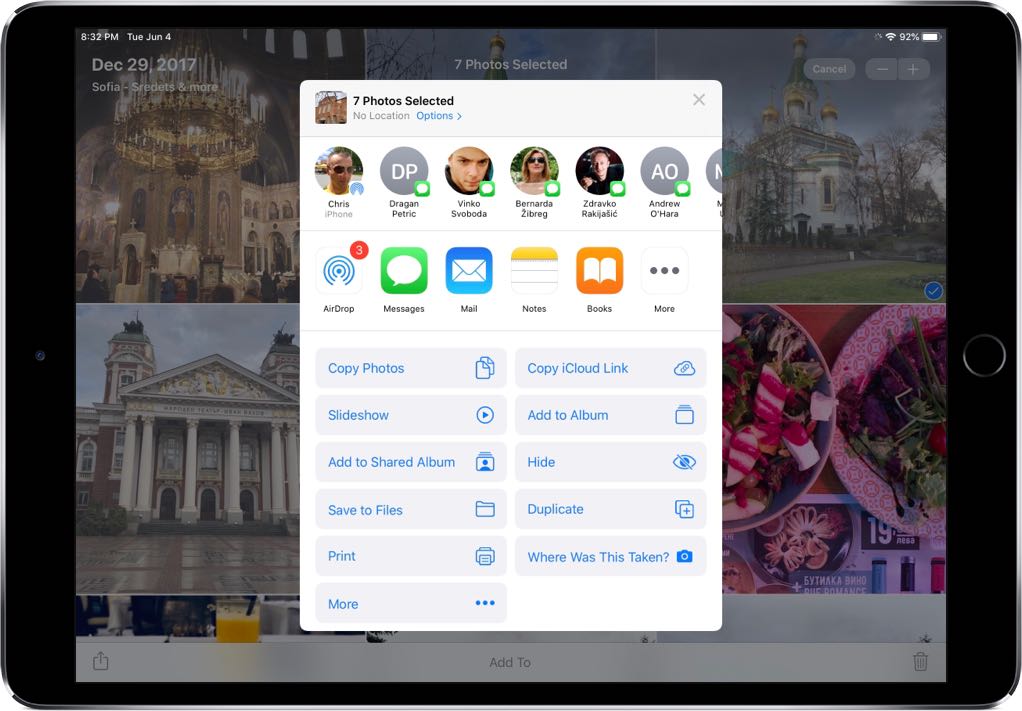
Only one of the settings is limited to contacts; AirDrop can also be set to find “everyone”, which probably uses WiFi Connect or some other trickery to locate nearby devices even on other platforms.
I have it set to only contacts. I'm looking at the share sheet right now: there is no one in that list that is within WiFi range. My wife: at work in Redmond. Dog walk girl: at school, in Redmond. My mother: 3000 miles away in Florida. My bluegrass pickin' buddies..., oh, you get the point. Me: at work in Bellevue, WA.
But you prompted me to remember: "Aha! AirDrop uses a different icon than what I see right now!" Observe the following:
Note the contact on the left, and icon: it's the AirDrop icon. But the rest have a Messages icon. That, I'm assuming, comes from contacts I've recently messaged and has nothing to do with AirDrop. I could have my phone on airplane mode, and those still show up.